REST API
The Corellium REST API allows you to interact with your Corellium devices programmatically through HTTP requests, allowing developers to automate tasks and integrate Corellium with other services.
Access the Corellium REST API
You can find your Corellium REST API url by clicking on the connect tab of any running virtual hardware and scrolling down to the API Info section where the URL is labelled "Server URL".
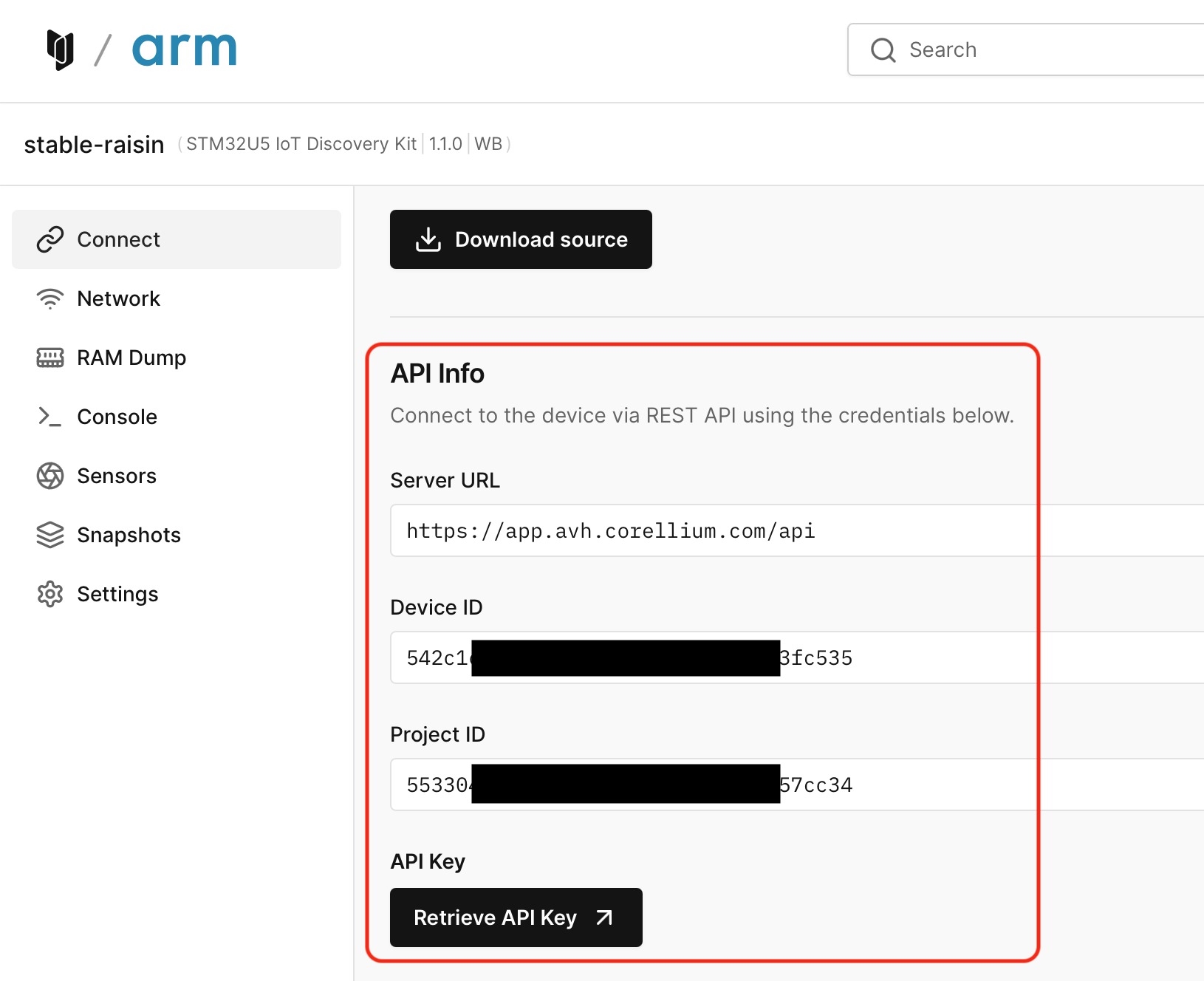
For On-Premise customers this is generally of the form https://<your_hostname>/api/docs, where <your_hostname> is the either hostname or IP address of your Corellium appliance.
Enterprise Cloud customers can access the Corellium REST API at https://<your_domain>.app.avh.corellium.com/api/docs, where <your_domain> is taken from the URL you use to access the Corellium web interface.
Public Cloud and Arm Virtual Hardware customers can access the Corellium REST API at https://app.avh.corellium.com/api/docs.
Authentication
The Corellium REST API uses API keys for authentication. For more information on how to generate an API key, see the API Token article. Once generated it can be accessed from the "API Key" link shown above.
Device and Project IDs
Many REST API calls require UUID for a device, a project, or both. These are also shown above. Note that the UUID is common for all devices in a given project while the per device UUID is unique to the device. In most cases the UUID of a device can be retrieved from the device name using another REST API call, however it may be easier to simply copy.
Example Script
We provide a shell script to demonstrate how to automate tasks using the Corellium REST API. Please see the related API Example Script.